
Virgin Australia’s new “first all-in-one flight search tool,” called Points Calendar, displays three booking methods in a single calendar view. It’s an evolution of the airline’s flight search engine. Specifically, it overlays the following in a single monthly view:
– Traditional cash fares,
– Points + Pay options (a combination of points and cash payments),
– The availability of Velocity Reward Seats (pure reward seats).
In the flight search engine, accessible on the Virgin Australia website and mobile app, users can filter by cabin class and see, day by day, which dates offer a reward seat, which date has the best cash fare, and where the Points + Pay compromise lies. This makes it easy to compare dates and payment methods for the same journey.
In contrast, Virgin’s Points Calendar remains more limited: searches are still conducted point by point (a departure city, an arrival city), and the tool only covers flights operated by Virgin Australia, seats available with partner airlines (Qatar Airways, Singapore Airlines, United, etc.) are not currently included.
Why does the “Points Calendar” tool really change the game?
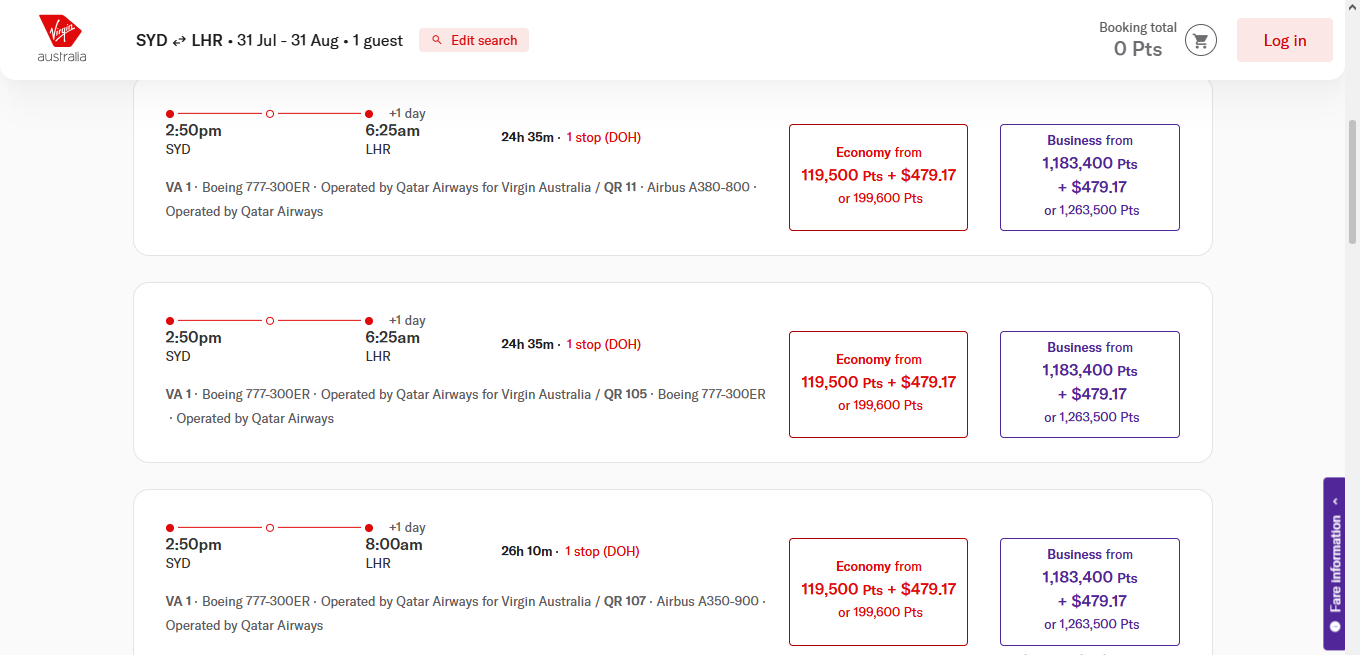
For frequent flyers, the challenge isn’t so much accumulating points as knowing where and when to use them effectively. Before these new tools, finding a Reward Seat often involved a tedious search, date by date, with no guarantee of finding the best option. The Points Calendar changes this logic: on a single screen, you can now see which dates offer a reward, which have a good cash fare, and where the Points + Pay compromise lies.
That said, the actual availability of reward seats remains entirely dependent on what airlines choose to release. The tool facilitates the search, but doesn’t create additional availability.
What about artificial intelligence? Virgin Australia has integrated flight search directly into ChatGPT, as part of a partnership with OpenAI. This feature allows users to search for Reward Seats operated by Virgin Australia on various dates, identify the cheapest periods, and compare Points, Points + Pay, and cash fares, seats from partner airlines are currently excluded. This is a further sign that the airline is focusing on simplifying reward searches as a strategic priority, beyond just the Points Calendar.
How to get the most out of the Points Calendar?
Always compare all three options before booking: a low cash fare can sometimes be more advantageous than a points reward, especially during peak periods when points rewards are expensive.
Be flexible with your dates: the calendar view often reveals significant price differences from one day to the next, especially around school holidays.
Keep in mind the current limitations: as long as the tool only covers flights operated by Virgin Australia, travelers looking for rewards with partners (long-haul flights via Qatar Airways, for example) will still need to use a traditional search.
Check availability per passenger: several user comments on forums point out that a search for two passengers may return no results, while a search for a single passenger may show available seats, a phenomenon to keep in mind regardless of the tool used.
Points Calendar (Virgin Australia) vs Flight Reward Finder (Qantas)
Virgin Australia has launched its Points Calendar, a tool that displays cash fares, Points+Pay options, and Velocity Reward seats all in one view. Compared to Qantas’s equivalent tool, the Flight Reward Finder, launched a few weeks earlier, Virgin’s tool focuses more on the simplicity of combined bookings, while Qantas’s stands out with its region-by-region search capability and coverage of more partner airlines. Here’s a detailed comparison of the two solutions:
| Criteria | Points Calendar (Virgin Australia) | Flight Reward Finder (Qantas) |
| General concept | Allows you to compare cash fares, Points + Pay options, and Reward Seats in a single view. | A tool designed to make it easier to find Classic Reward seats with a low point cost. |
| Search type | Still based on a point-to-point search (one pair of cities at a time), but integrated directly into the site’s main search engine. | Searches can be made by region to region (e.g., Australia → Europe), in addition to city to city searches. |
| Site integration | Integrated directly into Virgin’s main flight search interface, rather than on a separate page. | Integrated directly into Virgin’s main flight search interface, rather than on a separate page. |
| Airlines covered | Flights operated by Virgin Australia (Velocity network). | Qantas and Jetstar flights, plus rewards from over 30 partner airlines, including Oneworld partners (American Airlines, British Airways, Cathay Pacific) and others like China Airlines and Emirates. |
| Available filters | Filtering by cabin class and fare type (cash, Points + Pay, or Reward Seats) | Filters by region, city, date and cabin class, with the option to select up to 5 seats simultaneously. |
| Calendar view | Monthly calendar view combining the three payment options | Monthly view of availability by cabin class, accessible via a drop-down calendar. |
| Known limitations | Remains limited to route-by-route searches (no regional search). | It does not cover all possible city pairs (only airports integrated into the tool), does not display Classic Plus seats, and does not allow filtering by airline (it is impossible to exclude Jetstar or Emirates, for example). |
| Stated objective | Closing the points utilization gap: Velocity members only use 65% of their earned points, compared to 85% at Qantas. | Make Classic Reward seats, which have historically been difficult to find, more visible and accessible. |