
Manage Booking is the online personal portal that the Australian low-cost airline Jetstar provides to its passengers so they can view and modify their reservations without having to contact a customer service representative. Accessible via jetstar.com or the Jetstar mobile app, this tool centralizes all actions related to a booked flight: viewing the itinerary, adding baggage, selecting a seat, ordering in-flight meals, changing dates, correcting names, or requesting a refund depending on the fare selected.
Essentially, it’s a self-service portal that eliminates the need to call customer service for simple tasks. All you need to do is enter two pieces of information: the booking reference number (usually six characters, including numbers and letters) and the passenger’s last name or the email address used when purchasing the ticket.
How to access your Jetstar reservation:
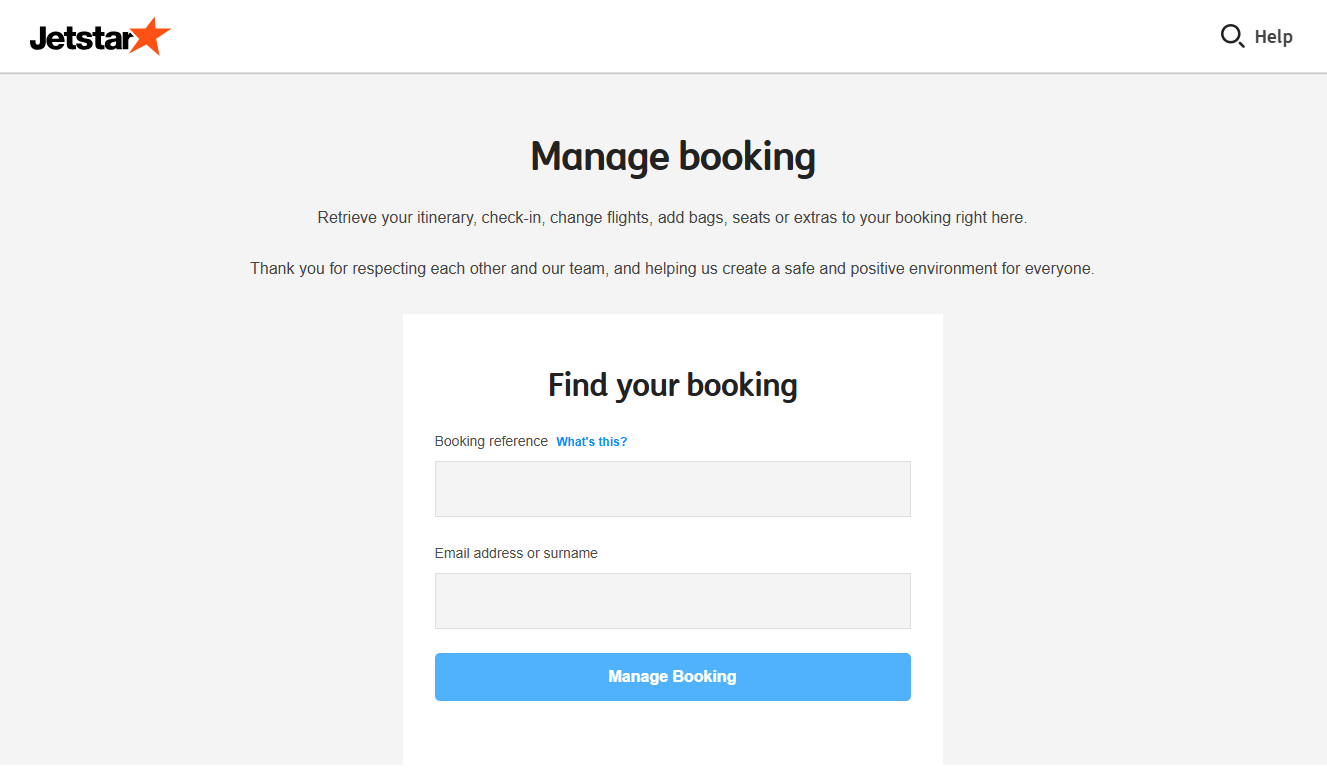
To find a reservation, go to the “Manage Booking” page on the official website, then enter the flight reference followed by the last name. If the reservation was made through a travel agency, a flight comparison site, or another partner airline, direct access is often limited: in this case, changes must be made through the intermediary that issued the ticket, rather than directly with Jetstar.
The mobile app is often a more reliable alternative to the website when the website is running slowly, as it uses a streamlined interface and automatically syncs with the traveler’s account.
For those who haven’t booked their flights yet, they can create an account in advance through the “Sign In” section.
What you can do from your account dashboard:
– Check-in flight.
– Add checked baggage at a rate that’s generally more affordable than at the airport.
– Choose or change your seat, including rows with extra legroom.
– Select meals and beverages to enjoy during the flight.
– Request a flight upgrade (subject to availability).
– Change the date or time of a flight (subject to the fare rules associated with the ticket.)
– Correct a data entry error in the passenger’s name, for a fee in most cases.
– Update contact information, including the email address if the itinerary was never received.
– Resend the flight confirmation if the original message was lost or not received.
– Request a credit or refund when the FareCredit option has been purchased or when local consumer protection laws apply.
What Internet Users search most about this service:
Browsing travel forums, user reviews, and community discussions about Jetstar reveals that some concerns come up much more frequently than others.
Reservation not found or error message: Many travelers encounter a page that won’t load, a timeout, or a reservation marked as invalid even though the reference number is correct. In the great majority of cases, this is due to a temporary server overload and not a user error. Changing browsers, using the mobile app, or simply trying again a few hours later is usually enough to resolve the issue.
Itinerary never arriving by email: This is undoubtedly the most common complaint. After booking, confirmation can take up to 24 hours to arrive, and sometimes it ends up directly in spam folders. After this period, the most frequent cause remains a typo in the email address at the time of purchase, an error that can be corrected directly through Manage Booking.
Confirmed booking vs. issued ticket: Many travelers worry about not seeing a traditional ticket number in their documents. This is actually normal: low-cost carriers operate with a simplified booking system, where the six-character code serves as proof of purchase, without an e-ticket ever being issued.
Fees for each change: Changing a date, correcting a name, or adding baggage after purchase almost always incurs a fee, the amount of which depends on the initial fare type. On forums, you often see comparisons between the cost of a change made online and that of calling customer service, and it’s almost always cheaper to do it online.
Refunds and vouchers: Research also focuses heavily on cancellation policies: the possibility of obtaining a full refund within 24 hours of purchase (for a flight scheduled at least seven days later), or how the paid option to cancel a flight in exchange for a voucher works.
Bookings made through a third party: A ticket purchased through an agency, a comparison site, or another airline cannot always be modified directly in Manage Booking. This is a common source of confusion, as the tool sometimes displays the booking in read-only mode.